Want to know if your best friend is calling without ever looking at the phone? Buried in the contact settings, a fun option lets you create custom vibration patterns for your contacts.
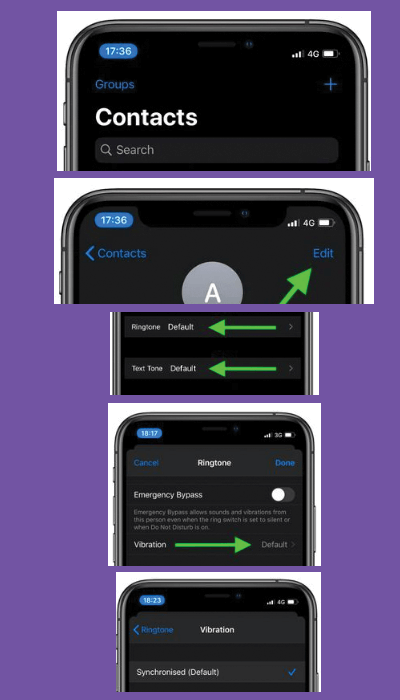
To do it, go to Contacts, choose a contact, and tap Edit in the upper-right corner.
Then, scroll down and navigate to Vibration > Create New Vibration. In the interactive screen, tap and hold to create a pattern, using long presses for long vibration notes, and so on.