Hey, what answers do you need?
< All Topics
Print
Use iMessage Overseas
Posted
Updated
ByRussell Kirkpatrick
When you’re connected to in-flight Wi-Fi or traveling without a data plan, you can still send text messages to iPhone-using friends.
The truth is that sending iMessages internationally will go through without any charges or fee from Apple or your carrier network, but the recipient must be another ios user.
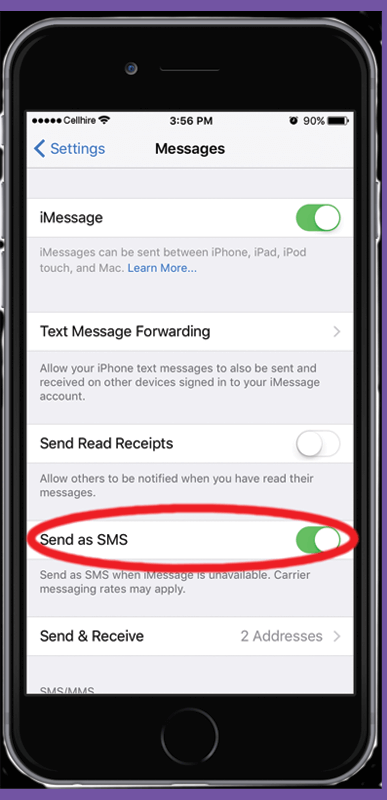
Just head to Settings > Messages and make sure Send as SMS is disabled, and that iMessage is enabled.
- Open Messaging or the iphone’s app for SMS.
- Start new message / new conversation.
- In the To: key in your contact name/number.
- If your SMS input field says “Text Message” (grayed out), then you will be sending a text message (SMS).
- If the SMS input field says “iMessage”, then be confident that the other person has its iMessage enabled and therefore you WILL be sending iMessage over.
5. Send message. Watch for blue bubble
Posted
Updated
ByRussell Kirkpatrick
Categories
Table of Contents