Hey, what answers do you need?
< All Topics
Print
Make Light Blink As A Notification
Posted
Updated
ByRussell Kirkpatrick
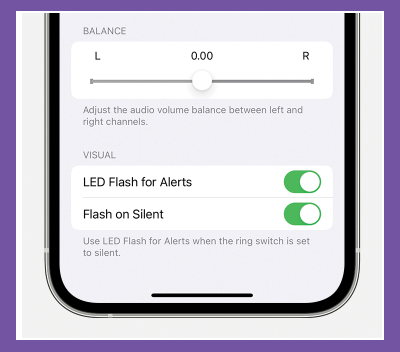
Want to get notifications of new texts, incoming calls, or other useful information without looking at your iPhone screen or listening for sounds? With this hack, the camera flash on the back of the phone blinks when you have a new notification. Just follow these steps:
- Tap Settings.
- Tap General (skip this step on iOS 13 and up).
- Tap Accessibility.
- Tap Audio/Visual.
- Tap LED Flash for Alerts.
- Move the slider to on/green. Also, move the Flash on Silent slider to on/green.
Posted
Updated
ByRussell Kirkpatrick
Categories
Table of Contents