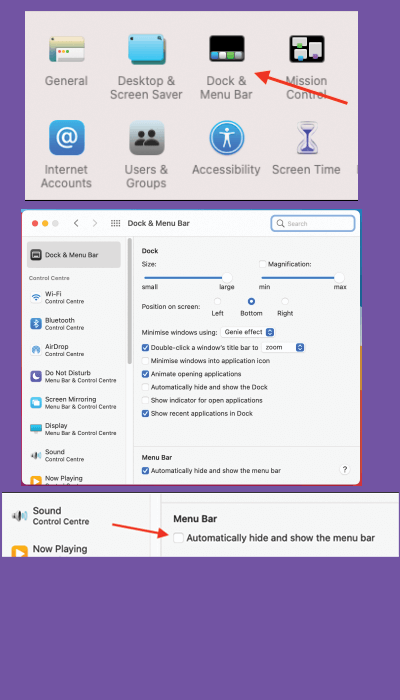
< All Topics Main Tips Apple Auto Hide Or Show Menu Bar Print Auto Hide Or Show Menu Bar PostedNovember 20, 2022 UpdatedNovember 29, 2022 ByRussell Kirkpatrick The Mac menu bar is always available along the top of the screen, with menus, Control Center, and utilities. It doesn’t have to be.Open System Preferences, go to General, then click “Automatically hide and show the menu bar.”