Hey, what answers do you need?
< All Topics
Print
Do Not Disturb
Posted
Updated
ByRussell Kirkpatrick
Turning on the ‘Do Not Disturb‘ or ‘Focus‘ feature will stop all sounds from messages, emails, calls or anything that may disturb you while you are on a call or when trying to focus on work.
You can customize the Focus feature to allow specific apps in different scenarios like Work, Personal etc.
There a couple ways of accessing this, including scheduling:
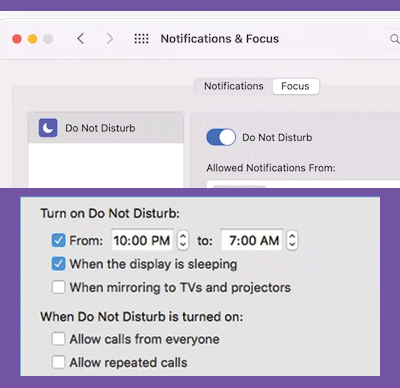
- Click Notification Center in the menu bar and click Settings icon.
- Two fingers to swipe to the left from the right edge of the trackpad.
- Try pressing and holding down the Options key when clicking the date/time in the menu bar.
Posted
Updated
ByRussell Kirkpatrick
Categories
Table of Contents