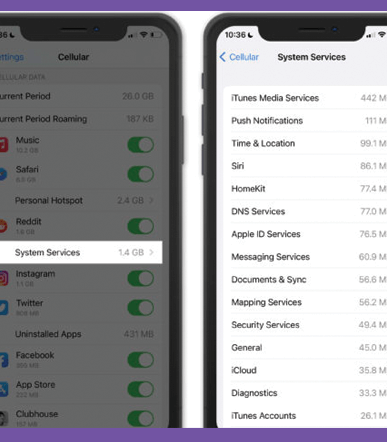
If you’re watching your data usage, it’s a good idea to use a feature introduced in iOS 7: cellular data management.
With this tool, you can decide which apps get to use cellular data, and which apps can load only over Wi-Fi.
Head over to Settings > Cellular to disable cellular data usage for any installed apps.