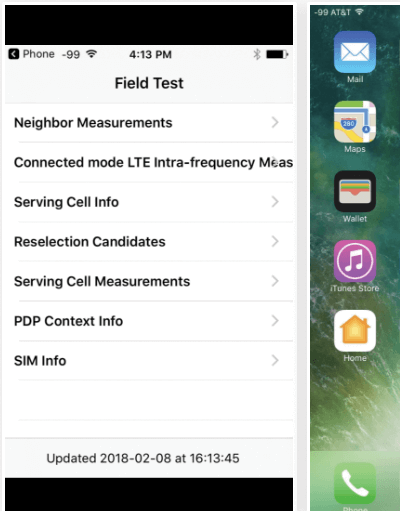
Talk about a hidden feature! Forget waving your phone in the air and walking around to find the strongest cellular signal. Just use this trick and you\’ll get a clear indication of signal strength:
Open the Phone app.
Dial *3001#12345#*.
Tap the call button.
In iOS 6 through 10, this loads the Field Test screen and you can skip to step 7. On iOS 11 and up, it loads the Dashboard.
Tap LTE.
Tap Serving Cell Meas and look for the lines rsrp0 (your current cell tower) and rsrp1 (the closest backup tower).
Tap the signal strength indicator in the top left corner.
The lower the number, the better the signal. So -90 is a great signal, -110 is OK, and -125 is no signal at all. Walk around to see how the signal strength changes and use your phone where you have a low number.