< All Topics
Print

Banish Distractions with Focus Assist

Focus Assist, referred to as “quiet hours” or “do not disturb,” is a notification management tool that allows you to avoid distracting notifications. Setting this up will enable users to specify appropriate notifications to appear during specified times.
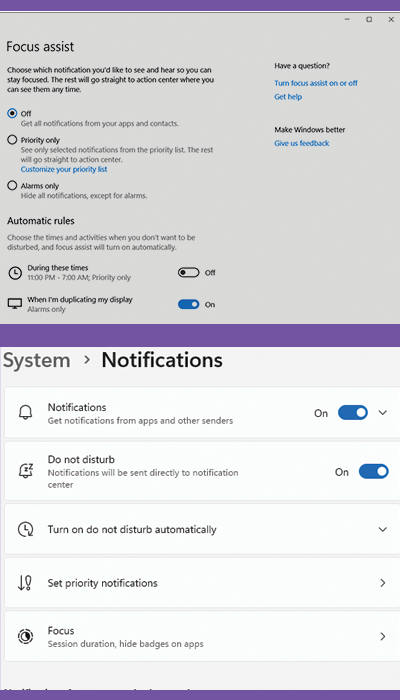
Windows 10 – Focus Assist
  1. Go to START -> SETTINGS -> SYSTEM -> FOCUS ASSIST to adjust settings. 

  2. Select Alarms only to have only alarm notifications that will disturb you.
Windows 11 – Do Not Disturb
  1. Go to START -> SETTINGS -> SYSTEM -> NOTIFICATIONS 

  2. Turn on Do not disturb or Turn on do not disturb automatically
Categories
Table of Contents

Request Consultation

Request Portal Access