Hey, what answers do you need?
< All Topics
Print
Take A Screenshot
Posted
Updated
ByRussell Kirkpatrick
Quickly capture and mark up all or part of your PC screen or any image, then save and share. This process is a two-step process that uses Windows Snipping Tool.
To Take The Screenshot
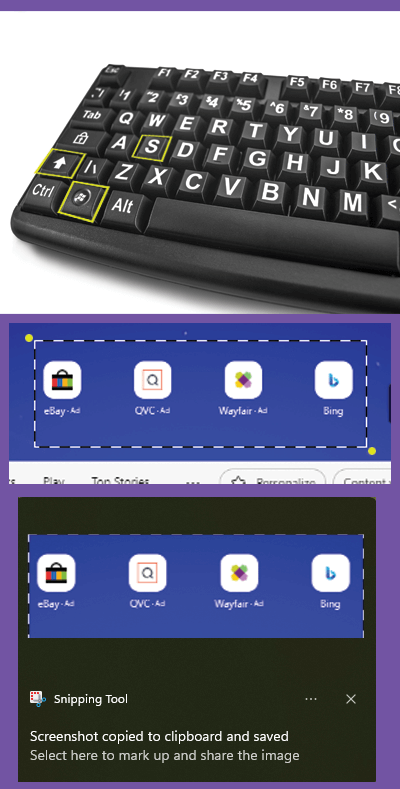
Press Windows logo key + Shift + S to activate screenshot mode. The screen will darken.
You will use your mouse to form a box around the item you want a screenshot of.
- Move the mouse to the top left corner of the item.
- Click and hold down the left mouse button while dragging the mouse to the lower right corner of the item.
- Release the mouse button to form a box around the item. Windows will popup a Notification window that the item is in the clipboard.
To Place The Screenshot
Go to the place you want to insert the screenshot, such as in an email or document, and Paste. You can click Control key (CTRL) + V
Posted
Updated
ByRussell Kirkpatrick
Categories
Table of Contents