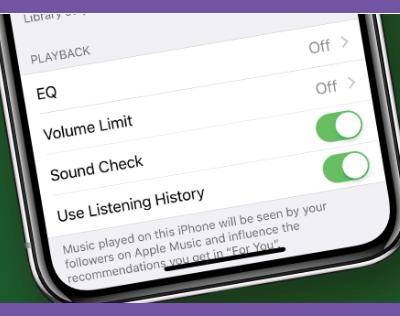
Ever notice that the music on your phone is recorded at different volumes? Old songs are usually quieter, newer songs louder. This can mean that you have to change the volume all the time. Well, we have a trick that makes all of your music play at the same level. It’s called Sound Check and it’s built into the iOS. It checks the volume on all of your music, finds an average, and then applies that to all of your music by default. Here’s how to enable it: