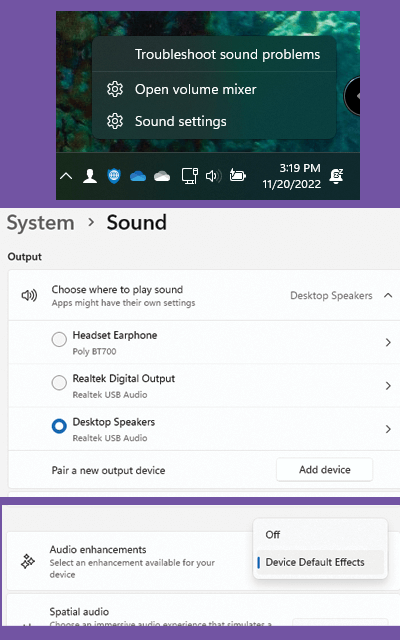
< All Topics Main Tips Windows Enhance Your Sound Print Enhance Your Sound PostedNovember 20, 2022 UpdatedNovember 29, 2022 ByRussell Kirkpatrick You can improve or enhance your audio sound quality from speakers or any audio-out device using Enhance Audio feature. Right-click the volume icon in the taskbar.Select Sound settings.Click the arrow to the right of the audio device you are using.Scroll down through the options to Ena and move the toggle labeled Enhance audio to the On position.