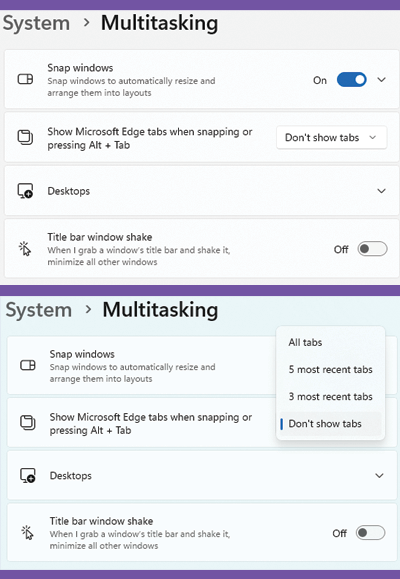
You can use Alt + Tab keyboard shortcut to switch between open applications and windows. With Windows 11, you can also include browser tabs from Microsoft Edge in the Alt + Tab list for easy navigation.
To Exclude the browser tabs
Go to START -> SETTINGS -> SYSTEM -> MULTITASKING
Look for the option that says “Show Microsoft Edge Tabs when snapping or pressing Alt + Tab”
Use the drop-down menu to choose Open windows only or Don’t show tabs to ignore Edge tabs.