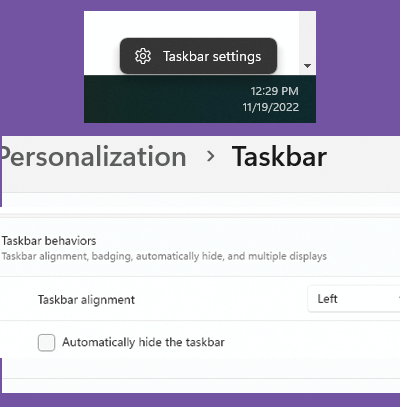
The standard behavior of Windows 11 is to align the taskbar icons in the center, along the bottom of the screen.
Right-click an empty section of the taskbar and select Taskbar settings. Click the Taskbar behaviors section to expand it, and select Left from the Taskbar alignment drop-down menu.