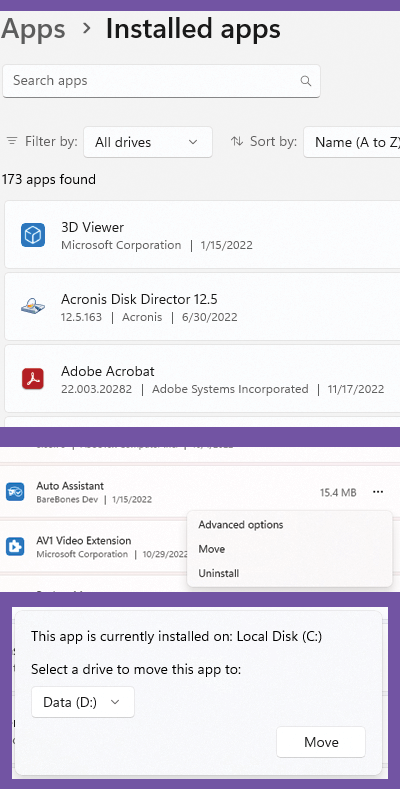
Did you know you can move the location of apps? If you run low on disk space, free up space by moving the app.
Scroll down the list and select an app. Click the 3-dots to the right to open an options menu. Click the MOVE button, then choose the location to move it to. Click MOVE again to relocate it.
NOTE: If MOVE is not available or greyed out, this option is not available.