Digital Awareness - Top 5 Email Tips for 2021
The era of awakening and awareness of our digital lives is unfolding. More and more of our clients are asking the right questions and taking action to protect themselves. They have discovered that their identities are a valuable commodity, and when taken creates havoc.
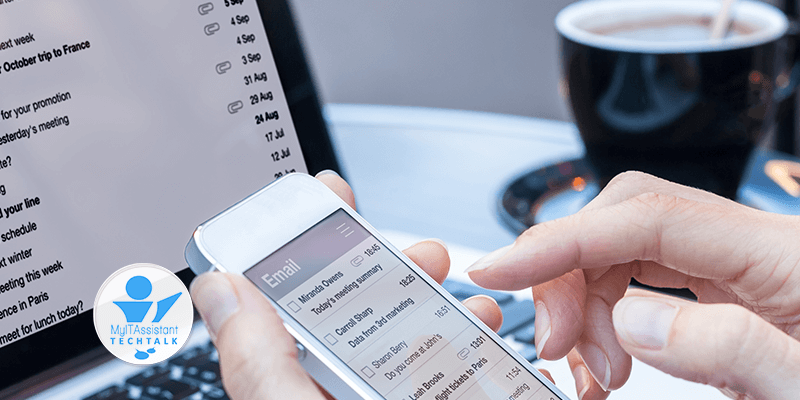
Email is a great place to start protecting your digital life. Here are our top 5 email awareness tips.
Go Private
To better understand what we mean by going private, our readers need to be aware of a couple of things. First, freely provided email is not free. Free, or public email, are considered leaders that bring in information. Second, public email services are big targets for malicious and criminal activities. And lastly, everything is tracked. What better way to know everything about a person than their email.
Going private is a step in the right direction to take control. It requires obtaining a domain name and having it hosted for email services. Expect to pay $100 annually going private.
Use Email Aliases
The best benefit of going to private email is the ability to take advantage of aliases. Aliases have several unique abilities that everyone should be taking advantage of. First, they can hide the identity of the real email address so it’s not seen or discovered. Second, it’s disposable.
- Users can give out disposable email aliases to others without the worry of giving up their actual email addresses.
- Users can use an email alias as their mail email account to hide their actual email addresses. This protects the email account from being discovered (hacked).
Use White/Black Lists
These lists have been around for an extremely long time, and few use them. They are not perfect but still hold value if properly configured.
- Whitelists should contain email addresses that are accepted – typically from an address book. We recommend updating this list bi-yearly to ensure it’s current.
- Blacklists are very powerful to use and may require some administrative assistance. Aside from blocked 1 email at a time, blacklists can be used with special characters to block an entire domain or extension (country). By default block everything outside your country – this will help keep unwanted emails at bay.
Passwords
The most common, misunderstood, and single most critical aspect protecting email. Passwords are the number one reason email accounts get compromised. Forget about creating passwords yourself, it’s impossible to create a password that someone hasn’t already thought of – instead generated a password of at least 12-characters in length. Lastly, change email passwords at least twice a year.
Don't Unsubscribe
Unwanted emails may have an unsubscribe button in them. Unsubscribing to emails is a confirmation that the email was received and the person does not want the email. This is great for all those that abide by the rules and value the person’s requests. It’s even considered a recognized method of conforming to be “politically right” not being spam.
Clicking unsubscribe confirms that a real person received the email. Emails that are confirmed as active go to the top of the list, holding more value and potentially sold as such. Not responding to those emails and deleting them, is the best practice to say anonymous.

President | Founder
Thank you for visiting our website and exploring our Digital Awareness Tips section. If you find these tips useful, we invite you to subscribe to gain access to even more exclusive digital awareness content. As a subscriber, you will receive regular updates on the latest scams, online safety best practices, and digital privacy advice. Our aim is to empower you with the knowledge and tools needed to protect yourself and your data online. By subscribing, you’ll also become a part of our digital safety community, where you can interact with other like-minded individuals who share your passion for digital awareness. Don’t miss out on this opportunity to stay informed and stay safe online – subscribe today!