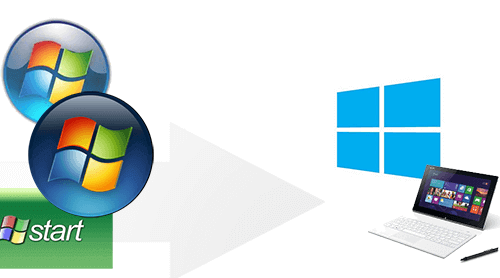
Windows 8.1 Tip – Start Page

Remember the old START button, in the lower left corner, we all have been used to clicking for years… well Microsoft decided to improve it. Since Windows 8 the Windows Start page is the start button in full view. Just as with the old Start button, you can simply start typing to find programs that begin with the letters you type, and launch them without having to scroll across tile screens. The Start page can be customized to suite your needs, making it easier to use your favorite programs. You can group and arrange the tiles.

And finally if you need to go back to your Start Page, take your mouse to the lower left corner of your screen and the Start Icon will appear. Click and you will see your Start page in full view.

Similar Posts

  • Effortlessly Fax via Gmail

    Looking to streamline your workflow by sending faxes from your Gmail account? Look no further! We’ve got you covered with this helpful guide on how to easily send faxes without leaving your Gmail account. Say goodbye to the hassle of managing two separate accounts and say hello to greater efficiency! We’re excited to help you save time and increase productivity with this easy-to-follow guide. So let’s get started and simplify your faxing process today!

  • Spotting Spam Made Easy

    Congratulations on taking the first step in protecting your inbox! With a few easy clicks, you can gain the tools to detect and prevent spam from infiltrating your email. Not only will this save you time and frustration, but it will also keep your important messages safe and secure. Take the initiative to educate yourself…

  • Using Strong Passwords

    Common sense tells us that we should, but reality holds us far from that. The passwords we used are common names of pets, places or other memorable references that draw meaning to us. Often these passwords are slightly skewed, backwards, forwards, with a number or capitalized letter as an attempt to meet specified minimum requirements….